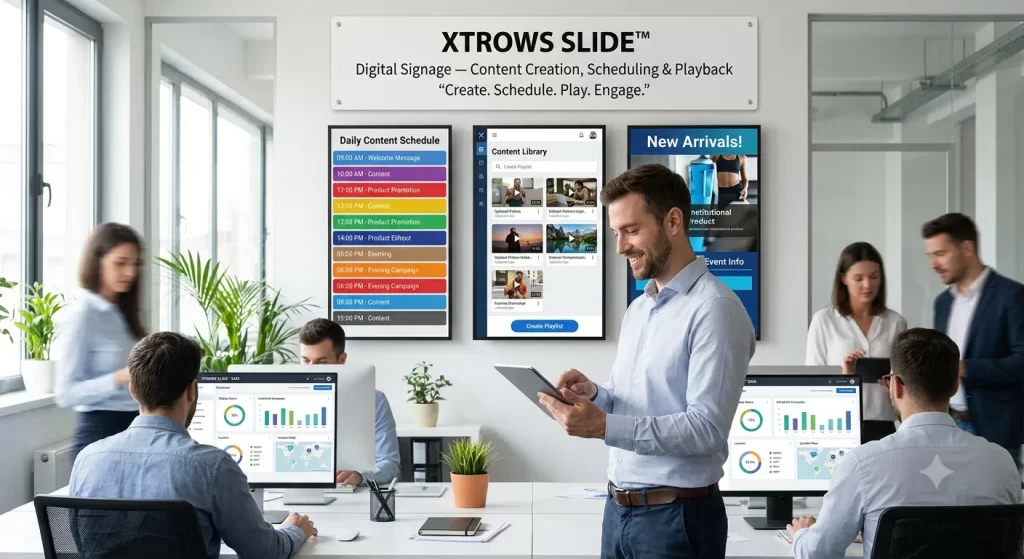
SLIDE can be deployed for USB-based playback, local network environments and cloud-connected digital signage setups, depending on the project requirement.
What is XTROWS SLIDE™?
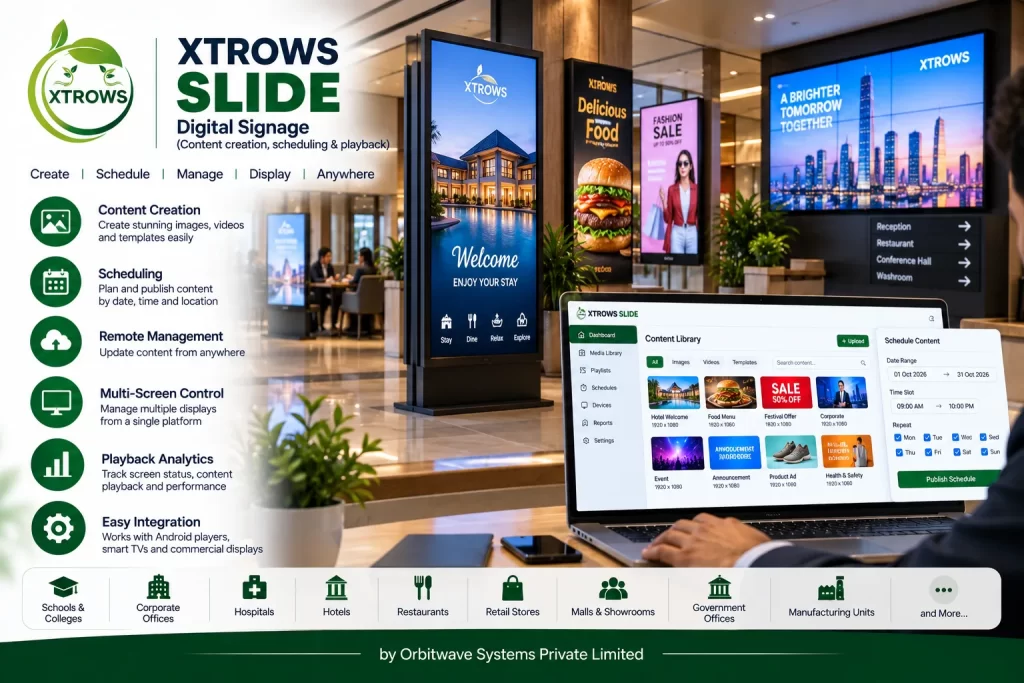
XTROWS SLIDE™ is a complete Digital Signage Content Management and Playback Software that helps organizations manage what appears on their digital screens.
Instead of manually changing content on every display, SLIDE allows users to prepare content, organize playlists, schedule playback and display the right information at the right time.
It can be used for:
- Digital Advertisements
- Corporate Communications
- Promotional Campaigns
- Digital Menus
- Announcements
- Institutional Information
- Product Promotions
- Welcome Screens
- Event Information
- Public Information Displays
Key Features
🎨 Content Creation & Management
Create and organize digital signage content including:
- Images
- Videos
- Text
- Promotional creatives
- Announcements
- Product information
- Presentations
- Digital posters
- Advertisements
📅 Content Scheduling
Schedule content according to:
- Date
- Time
- Day
- Campaign
- Playlist
- Display
- Recurring schedules
This allows different content to be displayed automatically at different times.
▶️ Playlist & Playback
Create playlists containing multiple content items and define the sequence in which they should play.
For example:
Morning → Welcome Message
Afternoon → Product Promotion
Evening → Advertisement
🖥️ Multi-Display Management
Manage content for multiple digital screens from a centralized interface.
Displays can be organized according to:
- Location
- Branch
- Department
- Floor
- Store
- Campus
- Screen type
🔄 Automated Playback
Once content and schedules are configured, playback can continue automatically according to the assigned playlist and schedule.
📢 Campaign Management
Create different campaigns for different purposes.
Examples:
- Festival Promotion
- Product Launch
- Sales Campaign
- Admission Campaign
- Corporate Announcement
- Event Promotion
📱 Digital Display Support
SLIDE can be configured for different types of digital signage displays, depending on the deployment:
- Digital Standee
- Digital Kiosk
- Digital Menu Board
- Digital Notice Board
- Commercial Displays
- LED Video Walls
- Android Displays
- Windows-based Displays
How XTROWS SLIDE™ Works
Step 1 — Create Content
Prepare images, videos, announcements and promotional creatives.
Step 2 — Upload & Organize
Upload content and organize it into playlists or campaigns.
Step 3 — Schedule
Set the date, time and playback schedule.
Step 4 — Assign
Assign the playlist or campaign to selected displays.
Step 5 — Playback
The assigned displays automatically play the scheduled content.
Step 6 — Manage
Update, replace or reschedule content whenever required.
Simple workflow:
Create → Organize → Schedule → Assign → Play
Digital Signage Use Cases
🏢 Corporate Offices
Use digital screens for:
- Corporate announcements
- Employee communication
- Visitor information
- Internal campaigns
- Brand communication
🏫 Schools & Colleges
Display:
- Notices
- Events
- Admission information
- Student activities
- Timetables
- Announcements
🏥 Hospitals
Use displays for:
- Patient information
- Department information
- Health awareness
- Hospital announcements
- Directional information
🛍️ Retail Stores
Display:
- Product promotions
- Offers
- New arrivals
- Brand campaigns
- Advertisements
🍔 Restaurants & Food Courts
Display:
- Digital menus
- Offers
- Combo promotions
- Product videos
- Promotional campaigns
🏨 Hotels
Use digital signage for:
- Welcome screens
- Event information
- Restaurant promotions
- Conference information
- Guest communication
🏛️ Government & Public Institutions
Display:
- Public announcements
- Schemes and programs
- Information campaigns
- Citizen information
- Digital notices
🏢 Showrooms & Experience Centres
Display:
- Product presentations
- Brand videos
- Product specifications
- Promotional content
- Customer information
Content Scheduling Example
A business can create a complete daily playback schedule:
| Time | Content |
| 09:00 AM | Welcome Message |
| 10:00 AM | Product Promotion |
| 12:00 PM | Advertisement |
| 02:00 PM | Promotional Offer |
| 04:00 PM | Product Video |
| 06:00 PM | Evening Campaign |
| 08:00 PM | Brand Advertisement |
The schedule can be customized according to the organization's requirements.
Hardware Integration
XTROWS SLIDE™ can work as part of a complete digital signage ecosystem.
Display Hardware
- Digital Standee
- Digital Kiosk
- Digital Menu Board
- Digital Notice Board
- Commercial Display
- LED Video Wall
- Interactive Display
Media Players
Depending on the deployment, SLIDE can be configured with:
- Android Media Players
- Android-based signage displays
- Windows Mini PCs
- Dedicated Digital Signage Players
Connectivity
Depending on deployment requirements:
- USB
- Local Network
- Wi-Fi
- Ethernet
- Cloud Connectivity
USB, Local Network & Cloud Deployment
XTROWS SLIDE™ can be positioned for different deployment environments.
USB Digital Signage
Suitable for simple installations where content can be prepared and transferred using USB.
Create → Export → USB → Play
Local Network Digital Signage
Suitable for organizations that want to manage displays through their internal network.
Content → Local Network → Display
Cloud-Connected Deployment
For connected installations, content and campaigns can be managed remotely through a cloud-based infrastructure, subject to the selected deployment architecture.
Content → Cloud → Display
Benefits of XTROWS SLIDE™
✔ Easy Content Management
Manage digital content from an organized software interface.
✔ Automated Scheduling
Display the right content according to predefined schedules.
✔ Centralized Management
Manage multiple screens and locations through a structured system.
✔ Better Communication
Replace static posters with dynamic digital communication.
✔ Faster Content Updates
Update promotional and informational content without physically replacing printed material.
✔ Multiple Applications
Suitable for advertising, information, education, retail, hospitality and corporate communication.
✔ Flexible Deployment
Can be configured for USB, local network or connected digital signage environments.
XTROWS SLIDE™ vs Traditional Posters
| Traditional Posters | XTROWS SLIDE™ |
| Static content | Dynamic content |
| Manual replacement | Digital content update |
| One message at a time | Multiple content items |
| No automated scheduling | Scheduled playback |
| Printing required | Digital publishing |
| Difficult to manage multiple locations | Centralized management possible |
| Limited multimedia | Images, videos and other digital content |
Why Choose XTROWS SLIDE™?
XTROWS SLIDE™ is designed for organizations that want to move from static communication to professional digital signage.
It combines:
Content Management + Scheduling + Playlist Management + Digital Playback
into a single digital signage solution.
It can also be integrated with the wider XTROWS digital signage ecosystem, including digital standees, kiosks, menu boards, notice boards, commercial displays and LED video walls.
XTROWS SLIDE™ — Ideal For
- Corporate Offices
- Schools
- Colleges
- Universities
- Hospitals
- Banks
- Retail Stores
- Shopping Centres
- Restaurants
- Cafeterias
- Hotels
- Airports
- Railway Stations
- Government Offices
- Showrooms
- Exhibition Centres
- Advertising Networks
- Experience Centres