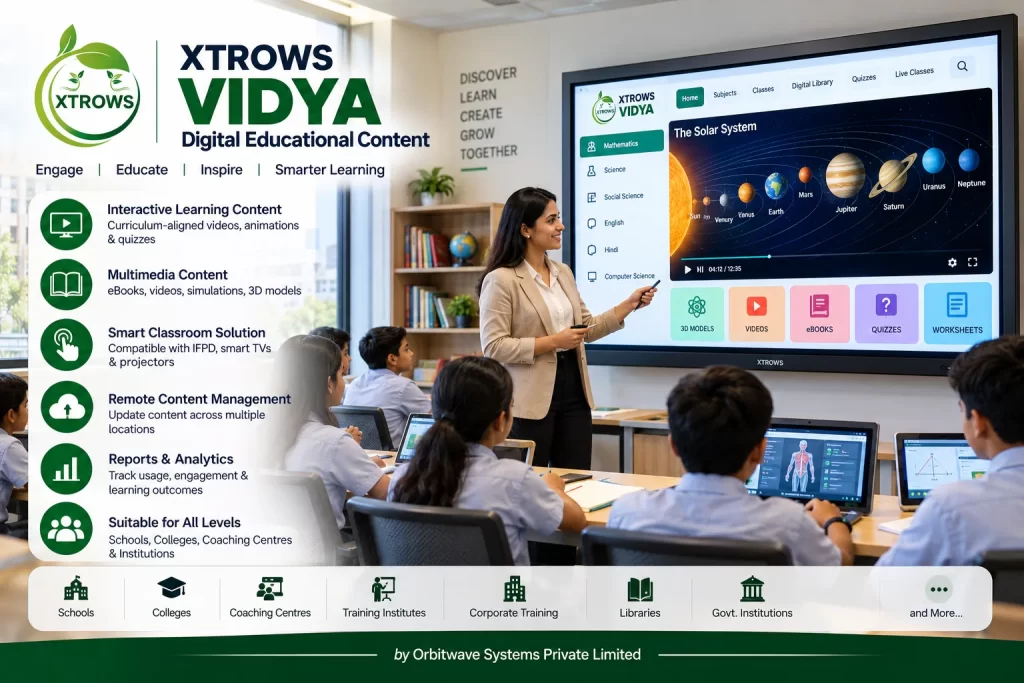
The platform can organize and present digital lessons, presentations, videos, images, documents, animations, interactive content, assessments and other educational resources through compatible digital displays and learning devices.
XTROWS VIDYA™ can be used with Interactive Flat Panel Displays (IFPDs), digital classrooms, interactive displays, computers, kiosks and other compatible learning hardware.
What is XTROWS VIDYA™?
XTROWS VIDYA™ provides a digital environment for managing and presenting educational content.
Teachers, trainers and institutions can use digital content to make lessons more visual, interactive and engaging.
Typical Learning Workflow
Select Subject → Select Lesson → Present Content → Interactive Learning → Activities / Assessment → Learning Review
The exact features and content formats can be configured according to the institution's requirements.
Digital Educational Content
XTROWS VIDYA™ can support different types of educational content, including:
- Digital Lessons
- Presentations
- Educational Videos
- Images
- Diagrams
- PDF Documents
- Animations
- Audio Content
- Interactive Activities
- Questionnaires
- Assessments
- Subject Resources
- Learning Materials
This allows institutions to bring multiple learning resources into a structured digital environment.
Key Features
Interactive Digital Lessons
Present lessons using multimedia content instead of relying only on traditional teaching materials.
Teachers can use:
- Text
- Images
- Videos
- Diagrams
- Animations
- Presentations
- Interactive activities
Digital Content Management
Organize educational resources according to:
- Subject
- Class
- Course
- Grade
- Chapter
- Topic
- Teacher
- Department
This makes digital learning content easier to organize and access.
Multimedia Learning
XTROWS VIDYA™ can support multimedia-based educational experiences.
Content may include:
Video
Educational videos and recorded lessons.
Audio
Voice explanations, language learning and audio resources.
Images
Educational diagrams, illustrations and visual learning materials.
Documents
PDFs, presentations and digital learning documents.
Interactive Content
Interactive learning activities and digital exercises.
Digital Classroom Integration
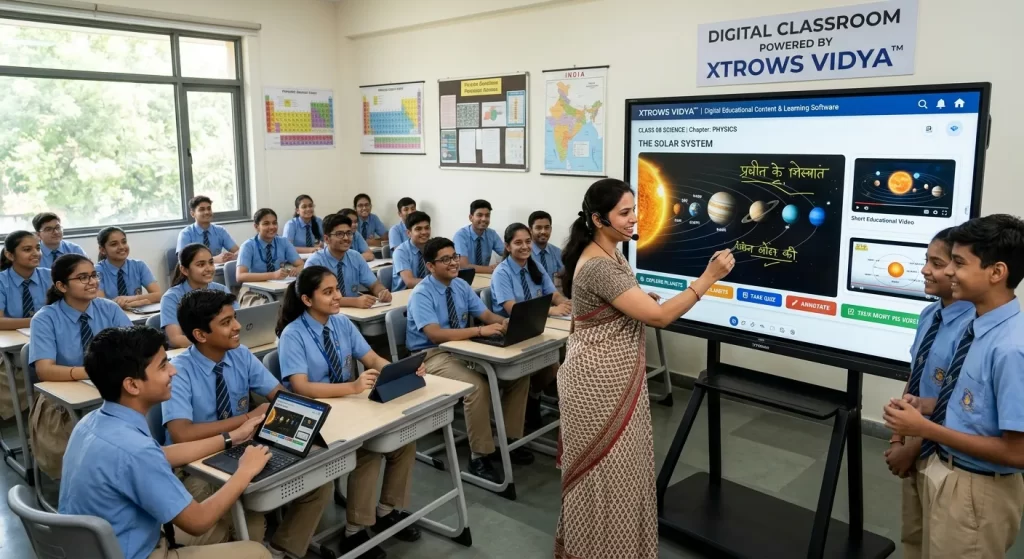
XTROWS VIDYA™ can be deployed as part of a Digital Classroom Solution.
A typical classroom can include:
XTROWS VIDYA™
↓
Interactive Flat Panel Display
↓
Teacher / Instructor
↓
Digital Educational Content
↓
Students
This can help teachers present multimedia educational material on a large interactive display.
Interactive Flat Panel Display Integration
XTROWS VIDYA™ can work alongside compatible Interactive Flat Panel Displays (IFPDs).
Teachers can use the interactive display to:
- Present lessons
- Write annotations
- Display diagrams
- Play educational videos
- Show presentations
- Conduct interactive activities
- Access digital resources
This makes VIDYA™ suitable for modern smart classroom environments.
Digital Learning for Schools
XTROWS VIDYA™ can be used by schools for digital learning across different grades and subjects.
Possible content categories include:
- Mathematics
- Science
- English
- Hindi
- Social Science
- Computer Science
- General Knowledge
- Languages
- Environmental Studies
The actual content library can be configured according to the institution or educational program.
Digital Learning for Colleges & Universities
Colleges and universities can use XTROWS VIDYA™ for:
- Classroom presentations
- Subject resources
- Digital lectures
- Training material
- Department content
- Video lessons
- Course material
- Interactive teaching
Coaching & Training Centres
XTROWS VIDYA™ can also support coaching and training environments.
Applications include:
- Competitive exam preparation
- Professional training
- Skill development
- Vocational training
- Corporate training
- Certification programs
Digital Content Library
Institutions can organize educational content into a structured digital library.
Example:
CLASS 08
Mathematics
→ Algebra → Geometry → Mensuration
Science
→ Physics → Chemistry → Biology
This structure can make it easier for teachers and students to find relevant learning resources.
Teacher / Instructor Use
XTROWS VIDYA™ can support teachers and instructors in presenting digital educational content.
A typical lesson can combine:
Text + Images + Video + Diagrams + Interactive Content + Assessment
This enables educators to use multiple teaching formats within a single lesson.
Interactive Learning
Interactive educational content can help students engage with lessons rather than only viewing static material.
Depending on the configured content, interactive activities may include:
- Questions
- Multiple Choice Questions
- Matching Activities
- Digital Exercises
- Visual Activities
- Practice Content
- Knowledge Checks
Digital Assessment
XTROWS VIDYA™ can support digital assessment workflows where required.
Possible assessment formats include:
- Multiple Choice Questions
- Questionnaires
- Practice Tests
- Subject Tests
- Knowledge Checks
Assessment functionality depends on the selected software modules and content.
Content Delivery
Educational content can be delivered through compatible digital devices and classroom infrastructure.
Possible deployment environments include:
- Interactive Flat Panels
- Smart Classrooms
- Desktop Computers
- Laptops
- Digital Displays
- Educational Kiosks
- Training Rooms
Offline & Network-Based Learning
Depending on the deployment architecture, XTROWS VIDYA™ can be configured for environments with:
Local Network
Educational content available within the institution's internal network.
Local / Offline Content
Useful where internet connectivity is limited or unavailable.
Centralized Deployment
Content can be managed centrally for connected classrooms and learning environments.
Actual offline, network or cloud capabilities depend on the selected deployment configuration.
Digital Educational Content for Smart Classrooms
XTROWS VIDYA™ can be part of a complete smart classroom solution.
Complete Classroom Ecosystem
XTROWS VIDYA™
↓
Digital Educational Content
↓
Interactive Flat Panel
↓
Teacher / Instructor
↓
Students
Additional classroom technologies can be integrated according to project requirements.
Applications
Schools
Digital educational content for classroom teaching and smart classrooms.
Colleges & Universities
Digital lectures, course resources and multimedia learning.
Coaching Centres
Digital lessons, presentations and practice content.
Training Institutes
Interactive training and digital learning material.
Vocational Training Centres
Digital instructional and skill-development content.
Corporate Training
Digital training resources for employee learning and development.
Government Educational Institutions
Digital learning content for institutional education programs.
Benefits of XTROWS VIDYA™
Interactive Learning
Use multimedia and interactive content to create engaging lessons.
Centralized Content
Organize educational resources in a structured digital environment.
Multimedia Education
Combine text, images, videos, audio and presentations.
Smart Classroom Ready
Designed to work with Interactive Flat Panels and digital classroom hardware.
Flexible Content
Educational resources can be organized according to classes, subjects, courses and topics.
Scalable
Suitable for individual classrooms as well as larger educational deployments.
Why Choose XTROWS VIDYA™?
Complete Hardware + Software Ecosystem
XTROWS can provide educational software together with Interactive Flat Panel Displays, digital signage, kiosks and other classroom hardware.
Designed for Indian Education
The platform can be configured for different educational institutions, subjects, classes and learning environments.
Interactive Digital Learning
Supports multimedia-based teaching and digital classroom experiences.
Customizable
Content structure, categories, lessons and learning workflows can be configured according to project requirements.
Institutional Deployment
Suitable for schools, colleges, universities, coaching centres, training institutes and government educational projects.
XTROWS VIDYA™ Workflow
— Select Class / Course
Teacher selects the appropriate class, course or learning program.
↓
— Select Subject
Select the required subject or learning category.
↓
— Select Lesson
Open the required chapter, topic or lesson.
↓
— Present Content
Display digital educational content.
↓
— Interactive Learning
Use multimedia, interactive activities and digital resources.
↓
— Practice / Assessment
Conduct questions, exercises or assessments where configured.
↓
— Review
Review learning content and assessment results where supported.
Industries & Education Segments
Schools | Colleges | Universities | Coaching Centres | Training Institutes | Vocational Training Centres | Smart Classrooms | Corporate Training | Government Education | Educational Institutions