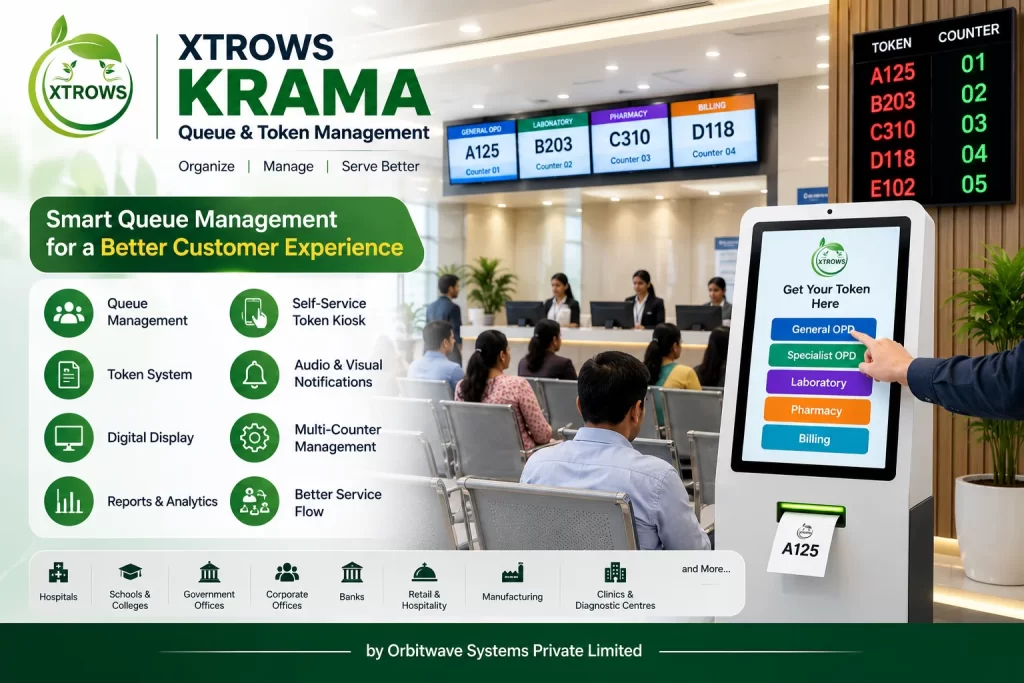
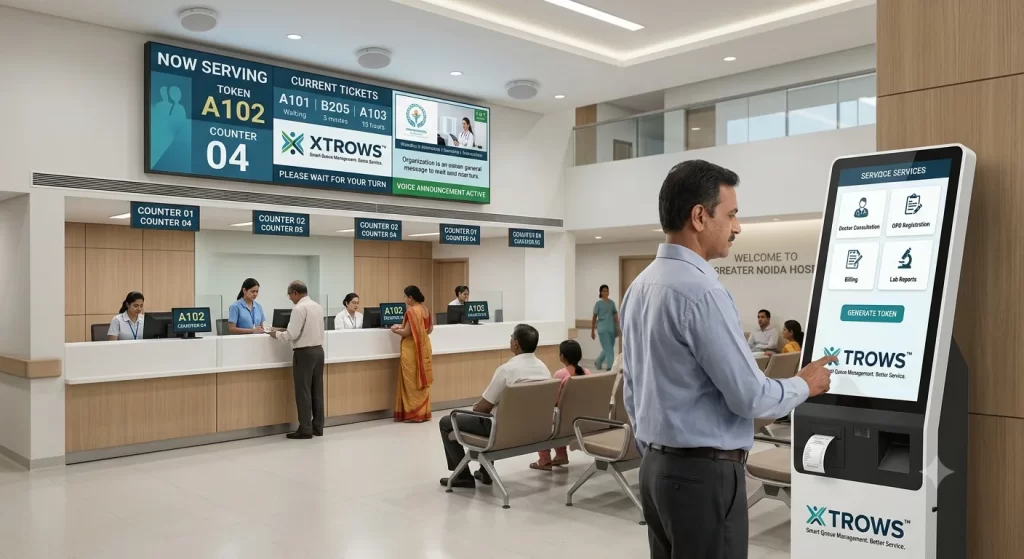
The system helps organizations generate tokens, organize multiple queues, call customers, display token numbers and provide voice announcements through a centralized digital platform.
XTROWS KRAMA™ can be integrated with self-service kiosks, token printers, digital signage displays, LED video walls, operator terminals and audio systems to create a complete queue management solution.
What is XTROWS KRAMA™?
XTROWS KRAMA™ helps organizations replace unmanaged physical queues with a structured digital queue and token management system.
Customers can receive a token number and wait for their turn while the system manages the queue digitally.
The operator can call the next token from the counter interface. The token number can then be displayed on a digital screen and announced through an audio system.
Simple Workflow
Generate Token → Join Queue → Wait → Token Called → Counter Display → Customer Service → Complete
Key Features
Digital Token Generation
Generate unique token numbers for customers, patients, students, visitors and citizens.
Queue Management
Create and manage queues according to service, department, counter or customer category.
Multi-Counter Management
Manage multiple counters from a centralized queue management system.
Multi-Department Support
Create separate queues for different departments and services.
Token Calling
Operators can call the next token, recall a token, skip a token or complete a token.
Digital Token Display
Display the current token number and counter information on connected digital displays.
Voice Token Announcement
Announce token numbers and counter information through an integrated audio system.
Priority Queue
Support priority-based queue management according to the organization's requirements.
Queue Status
Monitor waiting, serving, completed, skipped and pending tokens.
Reports & Analytics
Generate reports related to token activity, counters, services and queue performance.
Digital Token Management
XTROWS KRAMA™ provides a complete Digital Token Management System.
Tokens can be generated through different methods depending on the deployment:
- Self-Service Kiosk
- Reception Desk
- Operator Terminal
- Token Printer
- Appointment System
- Integrated Application
Customers can then wait in a designated area while the system manages their position in the queue.
Token Display System
XTROWS KRAMA™ can be integrated with LCD displays, digital standees, digital signage screens and LED video walls.
A typical queue display can show:
NOW SERVING
A102
COUNTER 04
The display can also include:
- Current Token
- Next Token
- Counter Number
- Department Name
- Organization Logo
- Instructions
- Announcements
- Branding Content
Queue Calling System
The operator can manage the queue through an easy-to-use counter interface.
Operator Functions
- Call Next Token
- Recall Token
- Skip Token
- Hold Token
- Transfer Token
- Complete Token
- View Queue Status
- View Counter Status
This allows staff to manage customer flow digitally instead of manually calling customers.
Voice Announcement
XTROWS KRAMA™ can be integrated with an audio announcement system.
Example:
“Token A102, please proceed to Counter 04.”
Voice announcements are particularly useful in busy environments where customers may not continuously watch the display.
Self-Service Queue Management Kiosk
XTROWS KRAMA™ can be integrated with a Self-Service Token Kiosk.
Customers can select the required service and generate their token without assistance from reception staff.
Customer Workflow
Select Service ↓ Generate Token ↓ Receive Token Number ↓ Wait for Your Turn ↓ Token Called ↓ Proceed to Counter
This provides a convenient digital experience for customers and can reduce manual token distribution.
Hospital Queue Management System
XTROWS KRAMA™ can be used as a Hospital Queue Management System for:
- OPD Registration
- Patient Registration
- Doctor Consultation
- Billing
- Pharmacy
- Diagnostic Centres
- Sample Collection
- Report Collection
- Patient Enquiry
- Hospital Service Counters
The system can help hospitals organize patient movement across multiple departments and service counters.
Government Queue Management System
XTROWS KRAMA™ can be deployed at government and citizen service locations.
Applications
- Citizen Service Centres
- Municipal Offices
- Public Service Counters
- Documentation Centres
- Registration Offices
- Transport Offices
- Government Reception Areas
Digital token management helps organize citizens according to their selected service.
Bank Queue Management System
Banks and financial institutions can use XTROWS KRAMA™ for:
- Customer Service
- Cash Counters
- Account Services
- Loan Enquiries
- Relationship Manager Services
- General Enquiries
Multiple counters and service types can be managed through one centralized system.
School & College Queue Management
Educational institutions can use XTROWS KRAMA™ for:
- Admission Offices
- Fee Counters
- Student Services
- Parent Enquiries
- Administration Offices
- Examination Departments
The system can help organize visitors, parents and students during high-footfall periods.
Service Centre Queue Management
XTROWS KRAMA™ is suitable for:
- Automobile Service Centres
- Electronics Service Centres
- Repair Centres
- Customer Service Centres
- Retail Service Desks
- Warranty Centres
- Support Centres
Other Applications
XTROWS KRAMA™ can also be used in:
- Corporate Offices
- Insurance Offices
- Diagnostic Centres
- Retail Stores
- Hospitality
- Airports
- Transport Facilities
- Utility Service Centres
- Public Facilities
- Exhibition & Event Centres
Hardware Integration
XTROWS KRAMA™ can be integrated with a range of hardware to create a complete queue management solution.
Compatible Hardware
Self-Service Kiosks For customer-driven token generation.
Token Printers For printing physical token slips.
Digital Displays For displaying current token and counter information.
Digital Standees For queue information and additional digital content.
LED Video Walls For large-format queue displays.
Android Media Players For connecting displays to the queue system.
Operator PCs For counter and queue management.
Speakers For voice token announcements.
Complete XTROWS Queue Management Solution
XTROWS can provide a complete hardware + software queue management solution.
Solution Architecture
Customer
↓
Self-Service Kiosk / Reception
↓
XTROWS KRAMA™
↓
Queue & Token Management
↓
Operator Counter
↓
Digital Display / LED Display
↓
Voice Announcement
This enables organizations to deploy a complete digital queue management ecosystem from a single technology partner.
Deployment Options
Local Network Deployment
Suitable for organizations that want the queue management system to operate within their internal network.
Server-Based Deployment
The application can be deployed on a local or private server according to project requirements.
Cloud Deployment
Suitable for organizations that require centralized access and remote management.
Kiosk-Based Deployment
Customers can generate tokens through a self-service kiosk.
Benefits of XTROWS KRAMA™
Organized Customer Flow
Digitally manage customers and service queues.
Reduced Physical Waiting Lines
Customers can wait for their token instead of continuously standing in a physical queue.
Better Customer Experience
Customers can see their token and counter information clearly.
Efficient Counter Management
Manage multiple service counters through a centralized system.
Digital & Transparent
Token and counter information can be displayed digitally.
Flexible Deployment
Suitable for small single-counter environments as well as larger multi-department installations.
Hardware Integration
Connect kiosks, displays, LED screens, printers and audio systems.
Why Choose XTROWS KRAMA™?
XTROWS OEM Ecosystem
XTROWS provides digital signage, kiosks, displays, LED video walls and software solutions, enabling integrated hardware and software deployments.
Customizable
Queue workflows, token formats, counters, departments, display layouts and branding can be configured according to project requirements.
Multiple Industry Applications
Designed for healthcare, government, banking, education, corporate, retail and service environments.
Scalable Architecture
Start with a single counter and expand to multiple counters and departments as required.
XTROWS KRAMA™ Workflow
01 — Customer Arrives
Customer reaches the service location.
↓
02 — Service Selection
Customer selects the required service.
↓
03 — Token Generation
The system generates a unique token number.
↓
04 — Queue Waiting
Customer waits for the token to be called.
↓
05 — Token Calling
Operator calls the next token.
↓
06 — Digital Display
Token and counter information appear on the display.
↓
07 — Voice Announcement
The token can be announced through the audio system.
↓
08 — Customer Service
Customer proceeds to the assigned counter.
↓
09 — Completion
The token is marked as completed and the next customer is called.
Industries We Serve
Healthcare | Government | Banking | Education | Corporate | Retail | Service Centres | Hospitality | Transportation | Public Services